 Retro Blocks
Seven classic shapes
I, O, T, S, Z, J and L, dealt from a seven-bag so no shape goes missing for long. Rotation both ways, with wall kicks so pieces still turn against a wall.
A falling-block puzzle game for iPhone, built as a grey handheld console with a green-grey monochrome LCD. Seven classic shapes, twenty levels, and a D-pad you can actually feel.
Out now, free. No ads, no in-app purchases, no tracking. Requires iOS 17 or later.
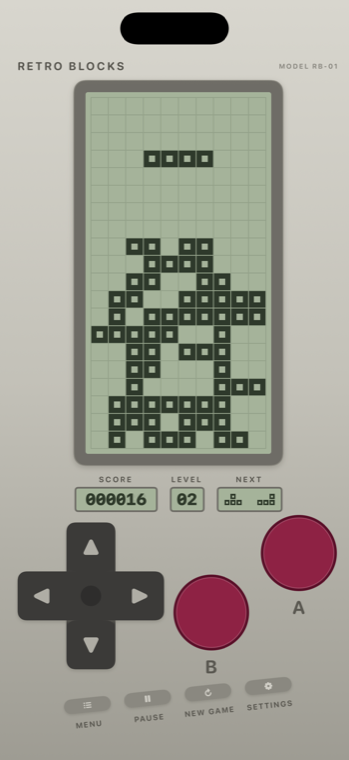
A complete, honest falling-block game. No ads, no accounts, no tracking, no in-app purchases — and nothing that phones home.
I, O, T, S, Z, J and L, dealt from a seven-bag so no shape goes missing for long. Rotation both ways, with wall kicks so pieces still turn against a wall.
The difficulty is spread evenly: every level is about 11% faster than the one before, from a gentle 1.0 second per row down to 0.12. No level is a sudden cliff — and the top of the ladder is close enough to actually reach.
The two shapes queued up behind the falling one are always on screen, so you can plan a stack instead of reacting to it.
Full rows clear and everything above drops down. One point per block placed, ten per row cleared, shown on a little segment display under the screen.
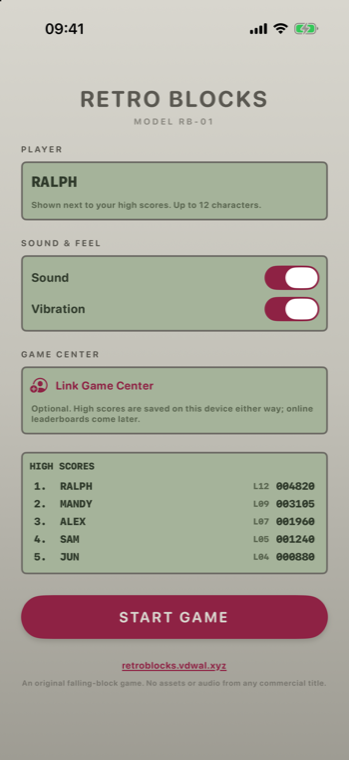
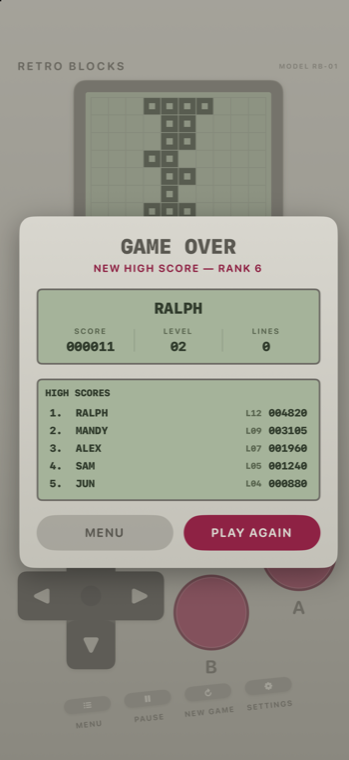
Put your name in and the top ten stay on your iPhone. Game Center can be linked if you want to — entirely optional, and off until you ask for it.
Every beep is generated by the app from square and triangle waves — no recordings, nothing borrowed. Sound and vibration are separate switches, right on the start screen.
Straight from the app on an iPhone 17 Pro. The scores shown are demo data.
Every control answers a tap and keeps going while you hold it. The repeat speed is tuned per button: sliding sideways is eager, rotation is calmer, and hard drop is deliberately lazy so holding it does not slam several pieces in a row.
| Control | What it does |
|---|---|
| ◀ ▶ | Move the piece sideways |
| ▼ | Soft drop — one row down, locks on contact |
| ▲ | Hard drop — slam to the floor and lock |
| A | Rotate clockwise |
| B | Rotate counter-clockwise |
| MENU | Back to the start screen |
| PAUSE | Pause and resume |
| NEW GAME | Start over |
| SETTINGS | Sound, vibration and level pacing |
Retro Blocks has no accounts, no analytics, no advertising and no third-party SDKs. The app makes no network requests of its own. Your name, your settings and your high scores are written to your device and never leave it.
The one exception is entirely up to you: if you link Game Center, that sign-in is handled by Apple and Apple's privacy policy applies to it.
It is out: Retro Blocks on the App Store. It needs an iPhone running iOS 17 or later, and the download is under a megabyte.
Nothing. It is free, with no advertising and no in-app purchases.
No. Retro Blocks is an original game in the falling-block genre. It is not affiliated with, endorsed by, or connected to The Tetris Company or any other publisher, and it contains no assets, audio or code from any commercial title. The shapes, sounds and artwork were all made for this app.
iPhone running iOS 17 or newer, in portrait. iPad and landscape are not supported.